
Michael Ohakim
Framer website designer
You know how to design. You just don't want to spend your time building your own site.
Every hour you spend on your own portfolio is an hour you're not spending on client work.
So I tested the top 5 Framer templates made for portfolios. I checked the design, the CMS, and how well they perform.
Quick rundown:
Dean ($69):
Lesmana ($129):
Lana Davies (Free):
Portavia (Free):
Vexoo (Free):
Quick Comparison
Template | Price | CMS Support | Built in Booking | SEO Optimized |
|---|---|---|---|---|
Dean | $69 | Full site | Yes | Yes |
Lesmana | $129 | Yes | No | Yes |
Lana Davies | Free | Yes | No | Yes |
Portavia | Free | Yes | No | Yes |
Vexoo | Free | Yes | No | Yes |
1. Dean
Built by Dean
Dean is a complete portfolio website template with CMS built to help you land more clients. It's 100% CMS-managed, so you can update your work without touching the design.

Responsive Design
Dean uses a responsive, premium, minimalist layout across every device.
CMS Support
The entire website runs through the CMS, every page, not just parts of it. That's what sets this Framer portfolio template apart from the rest of this list.
Extra Tools
Dean comes with a built-in booking calendar, so clients can schedule calls right on your site. It also includes an AI avatar toolkit — custom prompts and a video guide that turn your photo into your own animated character for your brand.
2. Lesmana
Built by Velox Themes
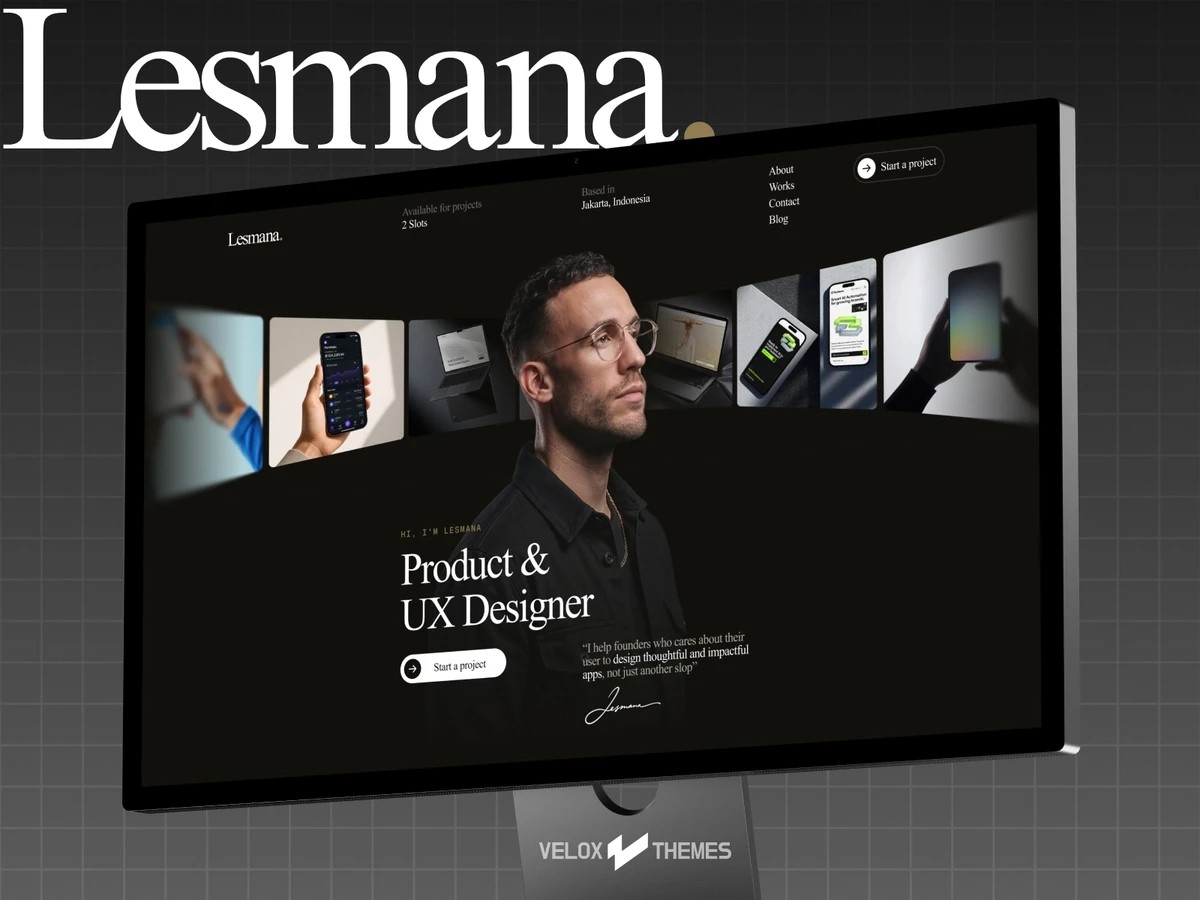
Lesmana is a portfolio website template for designers who want their site to feel as polished as their work. It also works well as a small agency or studio site.
Responsive Design
Lesmana adjusts cleanly across devices.
CMS Support
Lesmana has CMS support built in.
SEO Optimized
Lesmana ships with SEO built in, plus a JSON-LD SEO booster and an llms.txt file to help AI search tools understand your site.
Pricing
Lesmana costs $129.
3. Lana Davies
Built by Dean
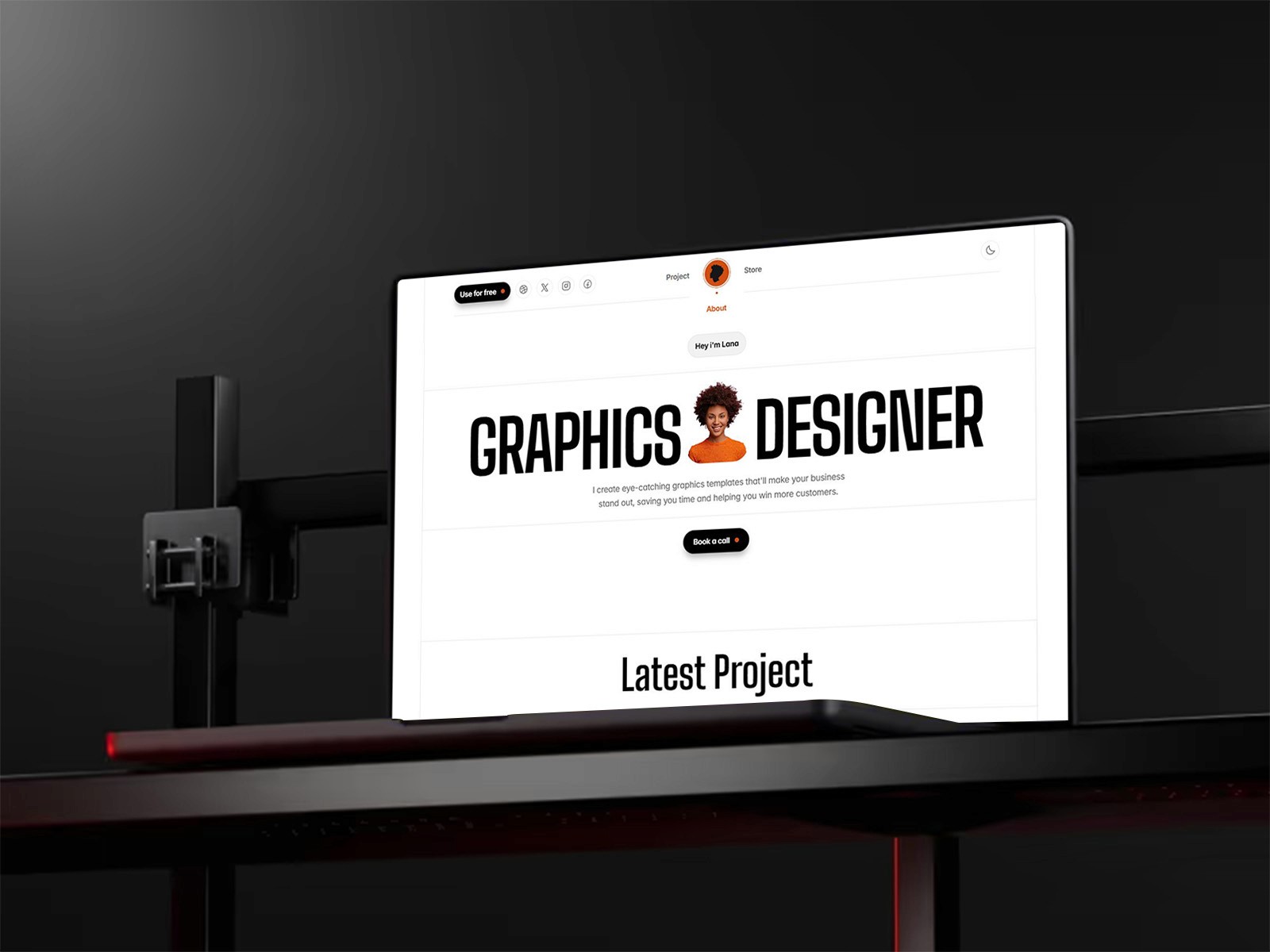
Lana Davies is a simpler, stripped-down take on the Dean template. It's a solid free portfolio website template if you're comparing options on a small budget, though it doesn't come with the same tools, like Dean's booking calendar or AI avatar kit.
Responsive Design
Lana Davies works across devices, with sections for projects, a store, and services.
CMS Support
Lana Davies has CMS support, but only for parts of the website, not the full edit control Dean gives you.
Pricing
Lana Davies is free.
4. Portavia
Built by Duncan Shen
Portavia is a modern, minimal no-code portfolio website template built to show off case studies with clarity. Each project gets its own dedicated page with visuals and context.

Responsive Design
Portavia is built to load fast and run smoothly across every device.
CMS Support
Portavia has CMS support, with CMS-ready blog pages confirmed. The rest of the site isn't confirmed as fully CMS-managed.
Pricing
Portavia is free.
5. Vexoo
Built by TE Studio
Vexoo keeps things simple and minimal. It's a Framer portfolio template built personal-brand-first, putting your work, story, and skills front and center.

Responsive Design
Vexoo is fully responsive across desktop, tablet, and mobile.
CMS Support
Vexoo has CMS support on the portfolio page. Other pages, like About and Contact, aren't CMS-managed.
SEO Optimized
Vexoo uses a clean, SEO-friendly page structure.
Pricing
Vexoo is free.
Final Thoughts
The right portfolio website template depends on how much control you want. Dean gives you the most built-in tools and the only full-site CMS on this list. Vexoo gives you the simplest, cleanest starting point if you just want something minimal and free.
FAQs
Do I need to know how to code to use these templates?
No. All 5 are no-code portfolio website templates, you can edit text and photos without touching any code.
Which portfolio website template is best for a small budget?
Lana Davies, Portavia, and Vexoo are all free. Dean is $69, and Lesmana is $129.
Do these portfolio templates work well on mobile?
Yes. All 5 are responsive and adjust to phones, tablets, and desktops.
Which template has a booking calendar built in?
Dean is the only one confirmed to have a built-in booking calendar.
Which template lets me edit the whole site through the CMS?
Only Dean gives you full-site CMS control. The others have CMS support for specific sections, like a blog or portfolio page.